How to invite a delegate to access your GoDaddy account
In this article, we'll guide you through the steps of inviting a delegate to access your GoDaddy account.
Delegating access to us allows us to make changes directly to your GoDaddy domain for easy configuration without having to share your GoDaddy account credentials with us.
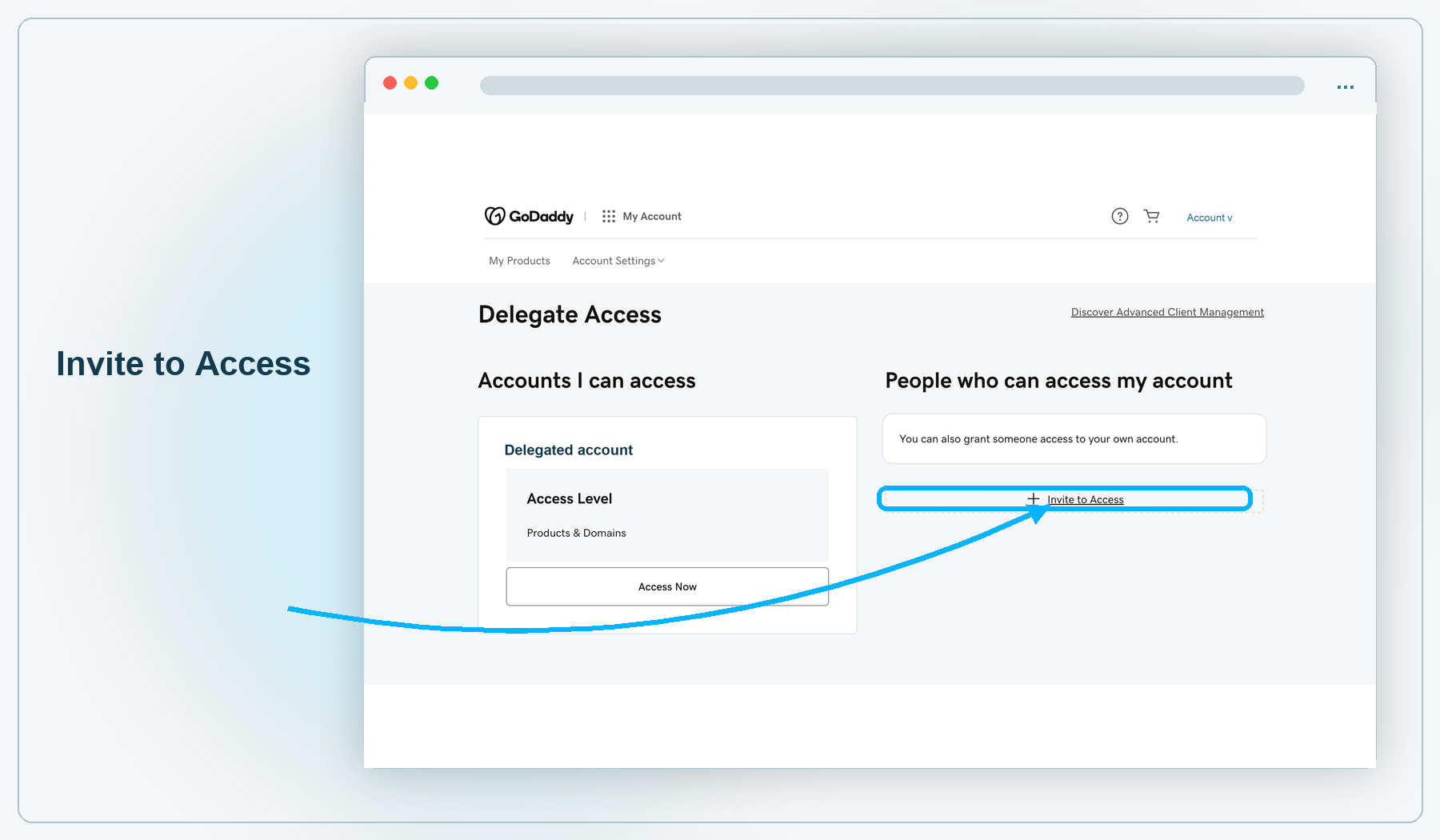
Sign in to your GoDaddy Delegate Access page.
In the People who can access my account section, click the Invite to Access button.
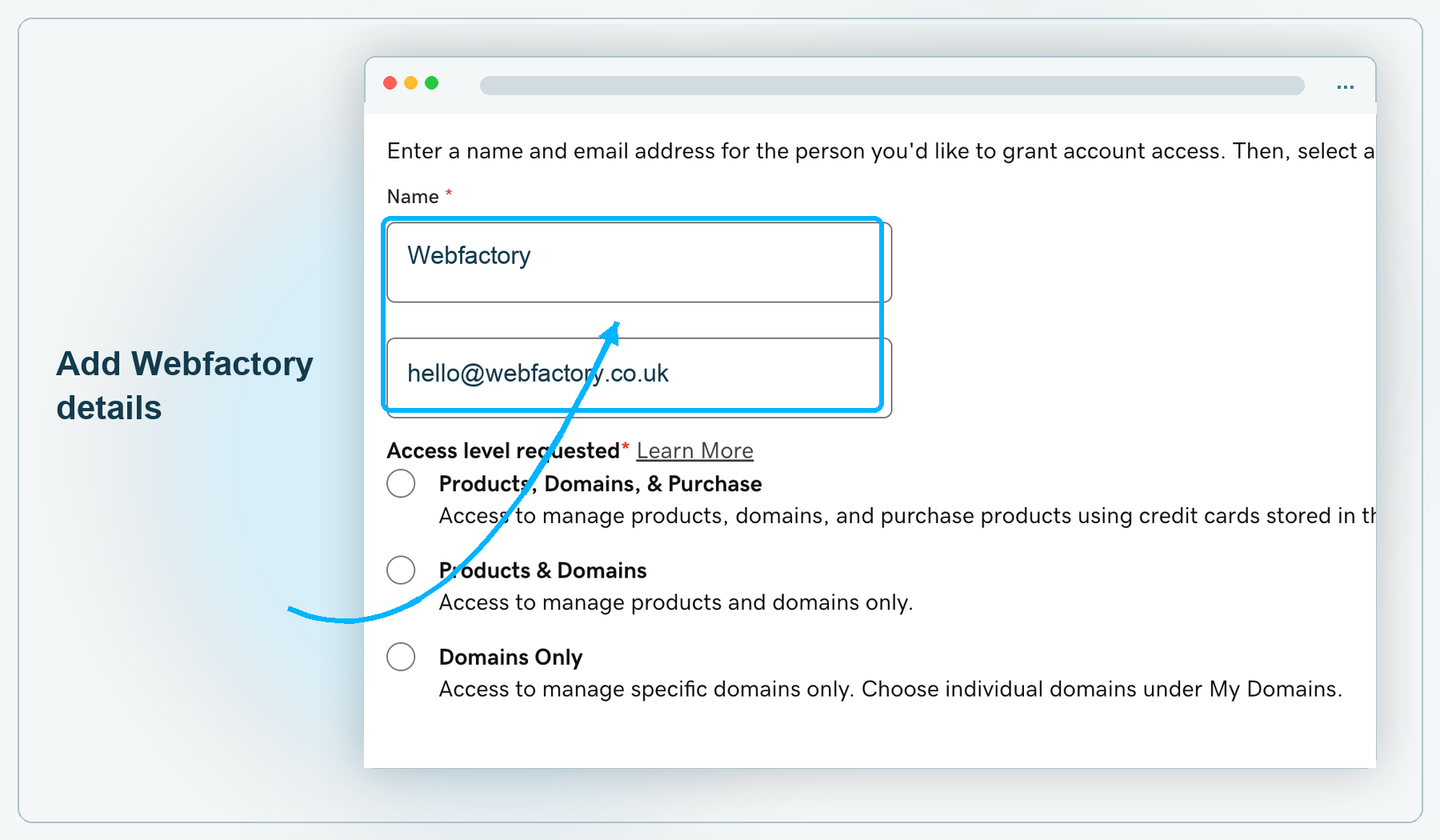
Enter the name and email address of the person you wish to invite to have access to your GoDaddy account. In this instance, use:
- Name: Webfactory
- Email address: hello@webfactory.co.uk
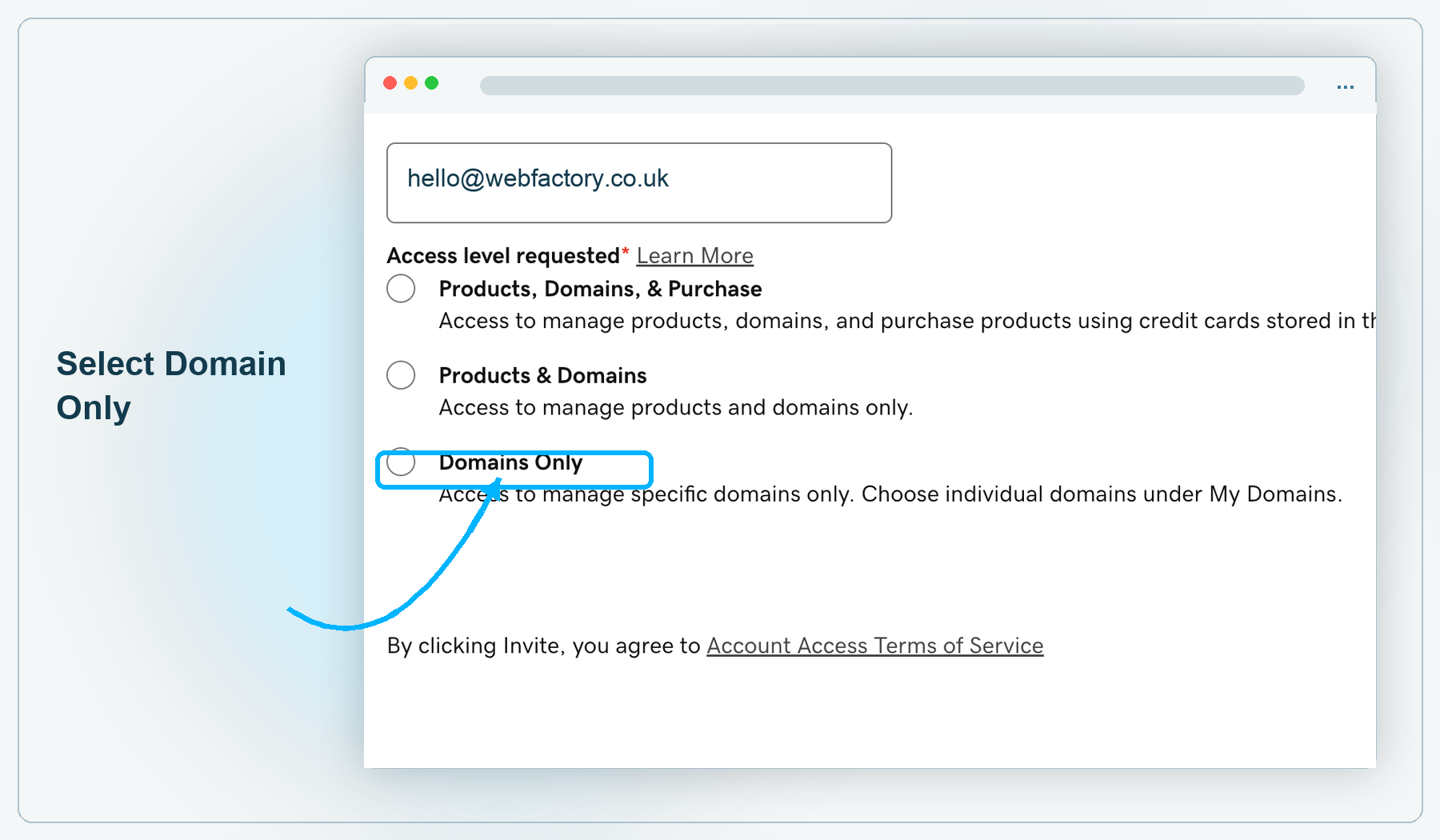
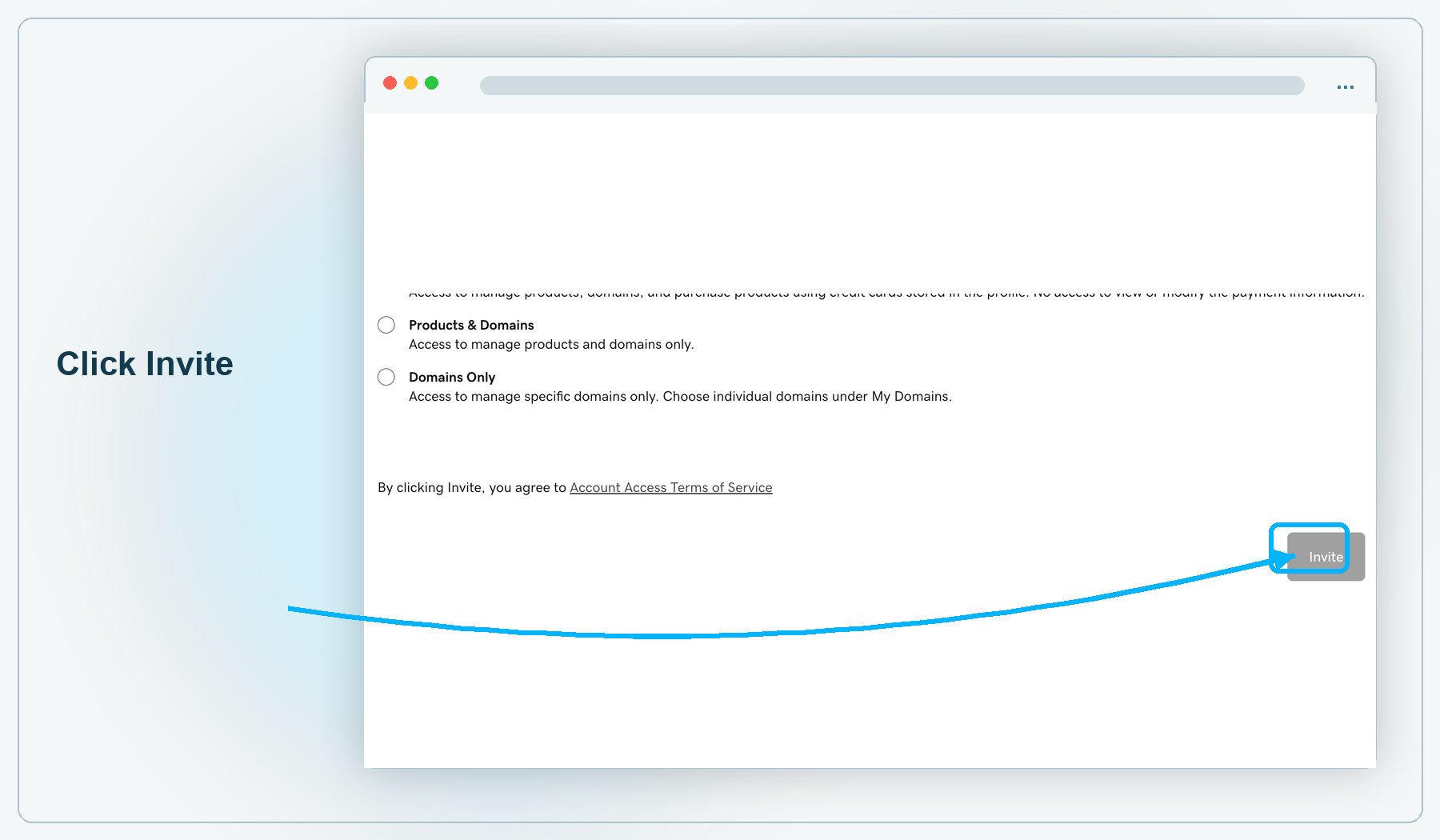
Once we accept your invitation, you'll be notified by email and we'll be able to configure your domain as requested.
You can read more about inviting a delegate to access your account on the GoDaddy Help Center.
Please email us to let us know when you have delegated access, as we have to manually accept the invitation.
Related articles
- How to add or update CAA records to your domain name
- How to configure your externally hosted domain
- How to transfer a .com, .net or .org domain to us
- How to transfer a .uk domain to us
- How to transfer your domain from Webfactory to a different domain host
- Introduction to your Domain, Email and Hosting product