What are subpages?
In this article, we'll give a quick overview of the differences between a parent page and a subpage. When building your website, you can organise your content hierarchically, with parent pages serving as main sections and subpages found underneath to provide related or more detailed information.
Parent pages
They represent the highest level of your navigation hierarchy.
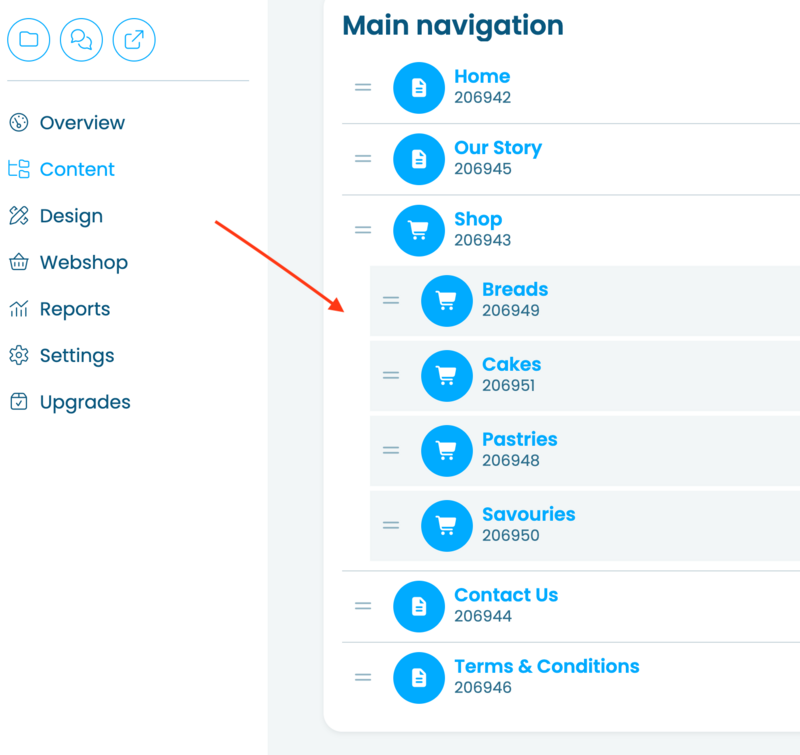
In the website editor, these pages are aligned to the left, with no indentation. To learn how to create a parent page, see our support article: How to add a page.
On your website, they are used as the main navigation sections usually seen along the top of your pages.
Examples of parent pages:
- Home
- Our Story
- Shop
- Contact Us
Subpages
Subpages are linked under a parent page and usually contain more specific or related content. In the website editor, they appear indented under their parent page in the navigation menu. To learn how to create a subpage, see our support article: How to add a subpage.
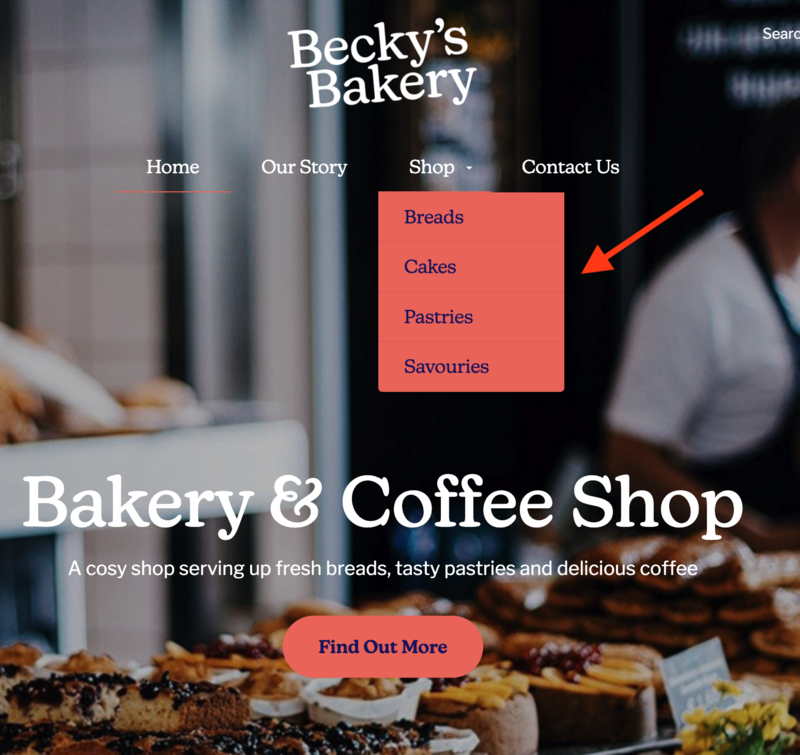
Subpages help you organise content into clear categories without overcrowding your main navigation. On most websites, they appear only when you hover over or click on the parent page as a dropdown menu.
Examples of subpages:
Under the parent page Shop, there are four subpages: Breads, Cakes, Pastries and Savouries.
Example screenshot showing how subpages appear on the website editor:
Example screenshot showing how subpages can appear on a website: