How to bookmark your products
In this article, we'll guide you through bookmarking your products.
Step 1
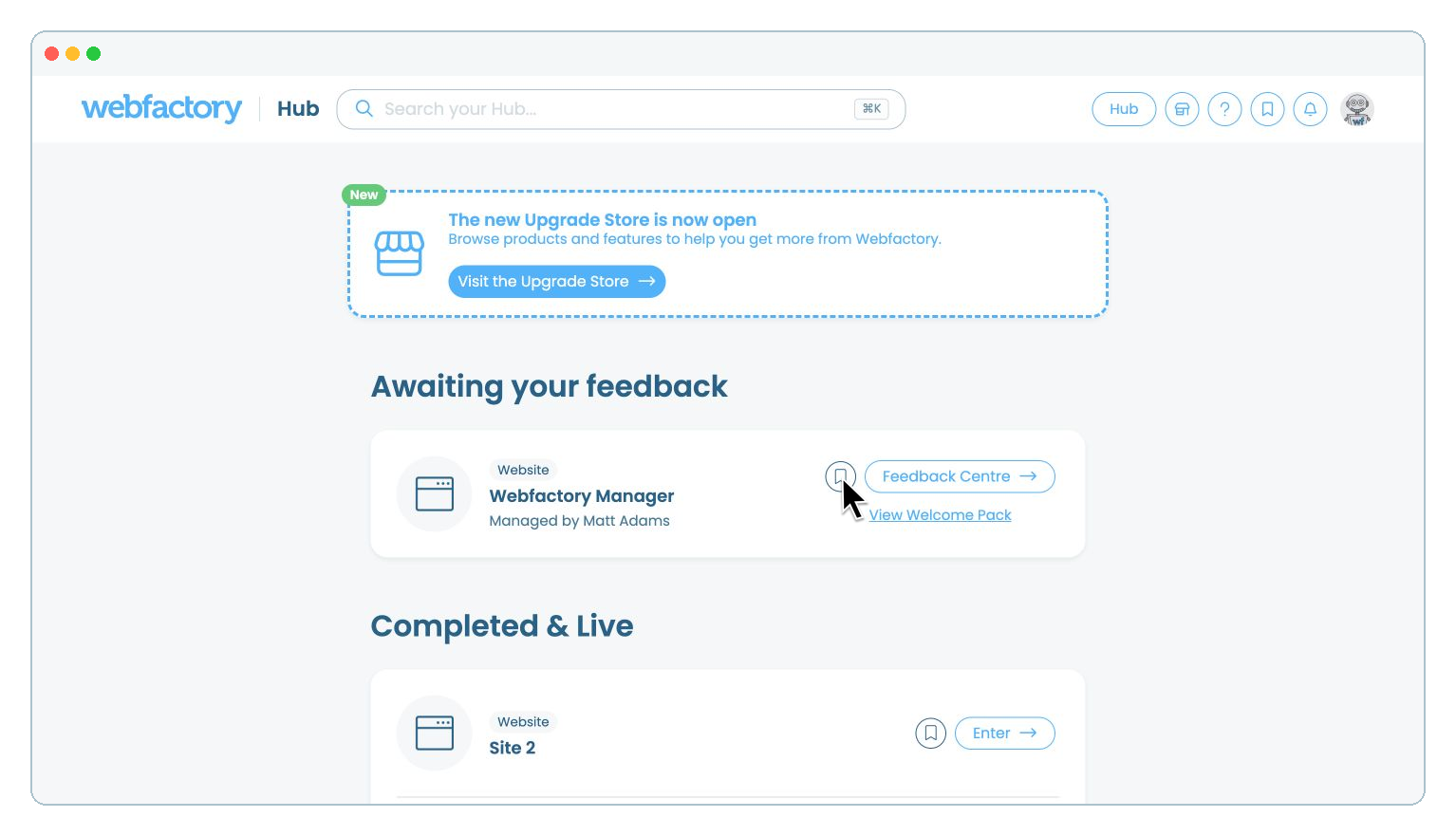
Sign in to the Webfactory Hub and browse the product list to find the product you wish to bookmark.
Step 2
Then select the bookmark icon next to the product card. The icon changes from an outline to a solid bookmark to confirm that the product has been saved.
Step 3
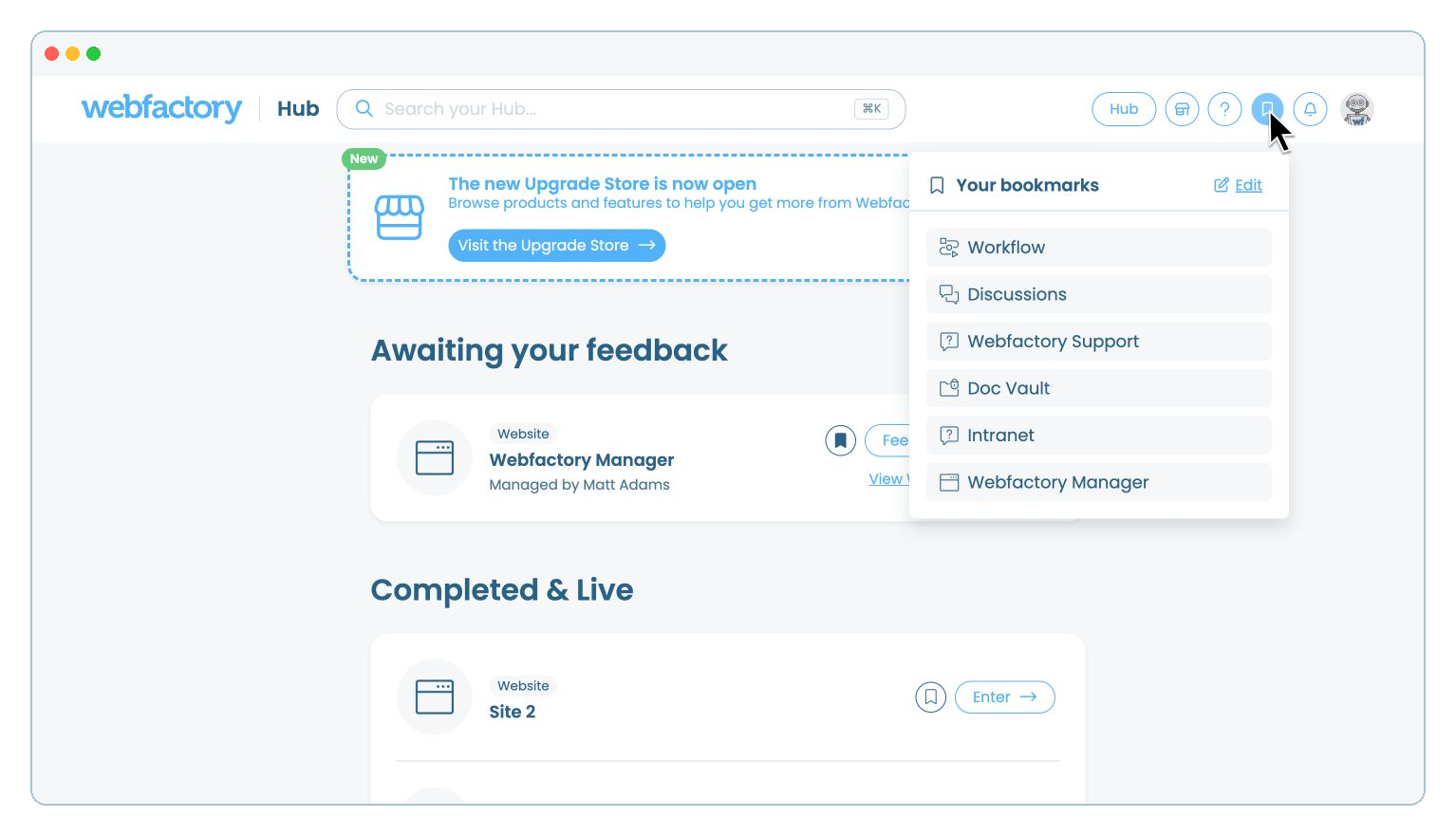
To find your bookmark, select the bookmark icon in the top-right corner of the Hub. Your saved products appear under 'Your bookmarks'. Select a product to open it.