How to add a shortcut to a product
Shortcuts let you return quickly to a product page you use often.
Step 1
Sign in to the Webfactory Hub and open the product page you want to return to quickly.
Step 3
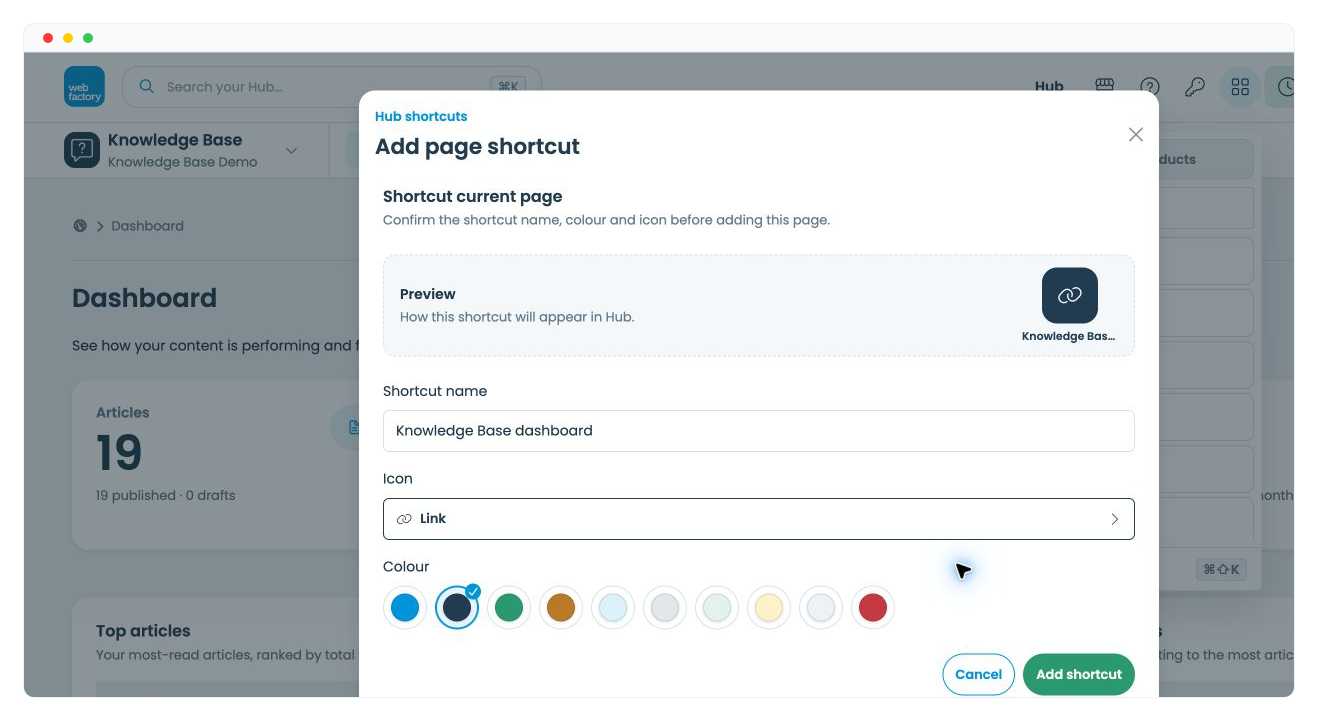
Check the suggested Shortcut name. You can change the name, icon and colour, then select Add shortcut.
Step 4
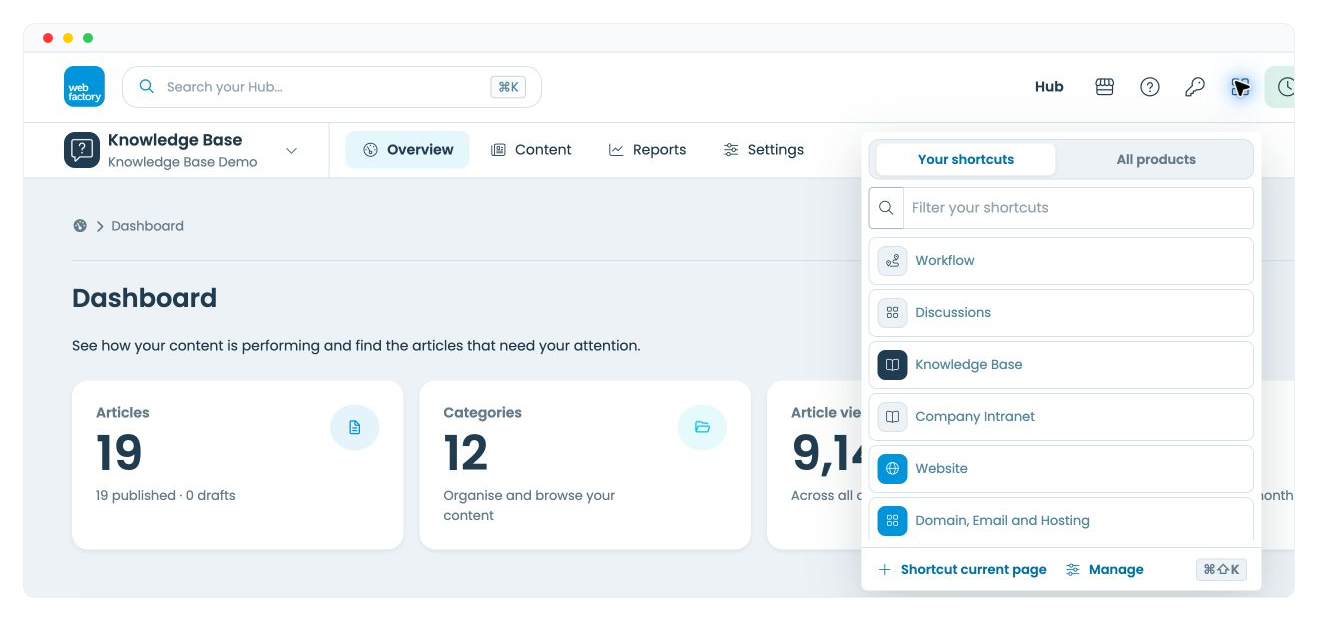
To use it later, open Shortcuts and find it under Your shortcuts. Select the shortcut to open the saved page.