How to switch your personal Instagram account to a business account
In this article, we'll guide you through the steps of switching your Instagram account to a business account on mobile and desktop.
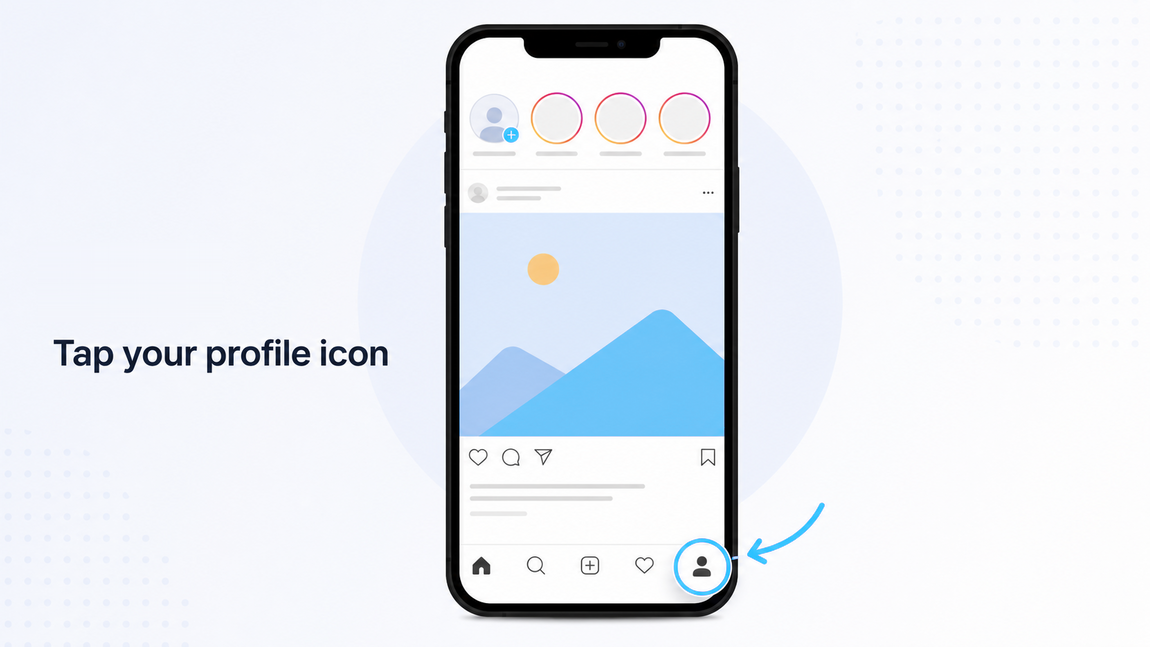
Open Instagram and go to your profile by tapping the Profile icon in the bottom-right corner.
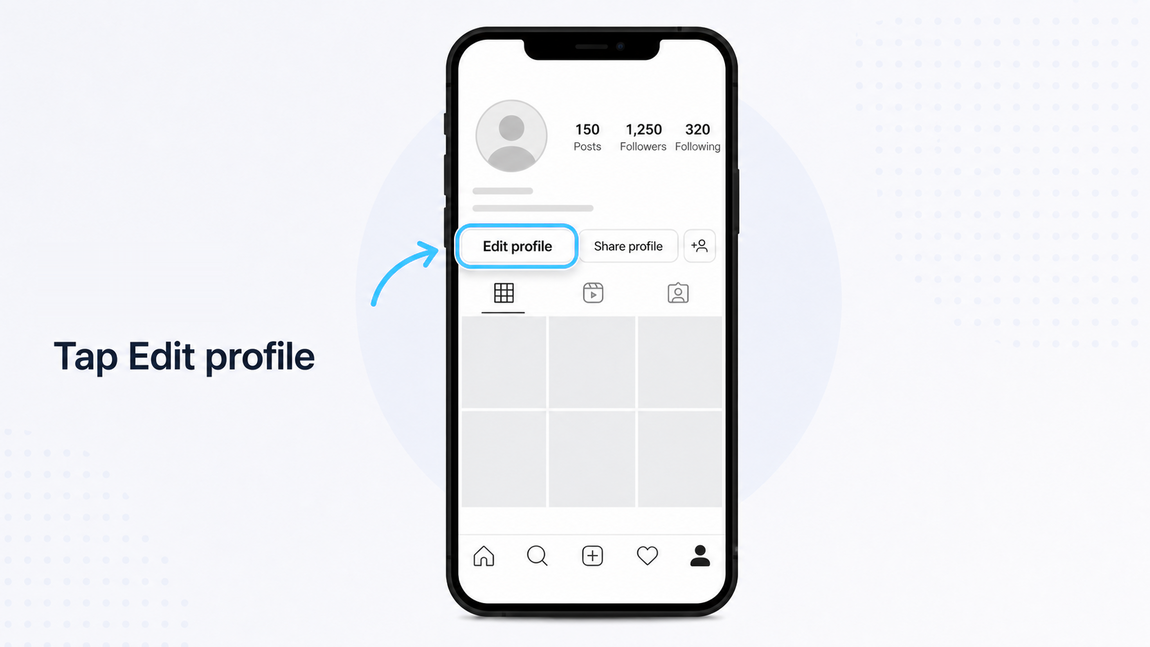
Click on Switch to professional account, then Next.
Select a category that best represents your business and click Switch to professional account.
Click the Switch to professional account button. Note that, by doing so, your account will automatically be set to public, which means everyone can follow you without approval.
Choose Business as your account type and click Next.
The following steps are optional:
- Enter your contact details and click Next. If you'd prefer not to include contact information, select Don't use my contact info.
- To share logins across Meta platforms, click Log in to Facebook and connect your Instagram Business account to a Facebook Page associated with your business. If you'd prefer not to connect a page, select Skip.
Finish setting up your professional account by following the optional steps provided, or tap the X in the top-right corner to return to your profile.
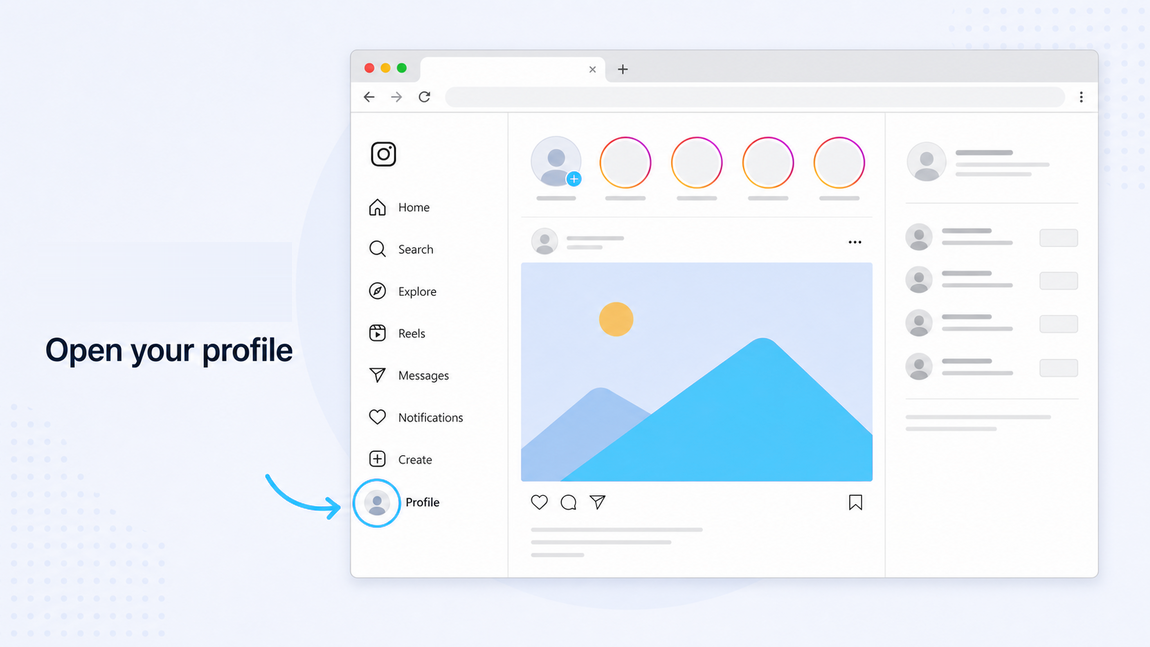
Open Instagram and go to your profile by clicking your Profile picture in the left-hand side menu.
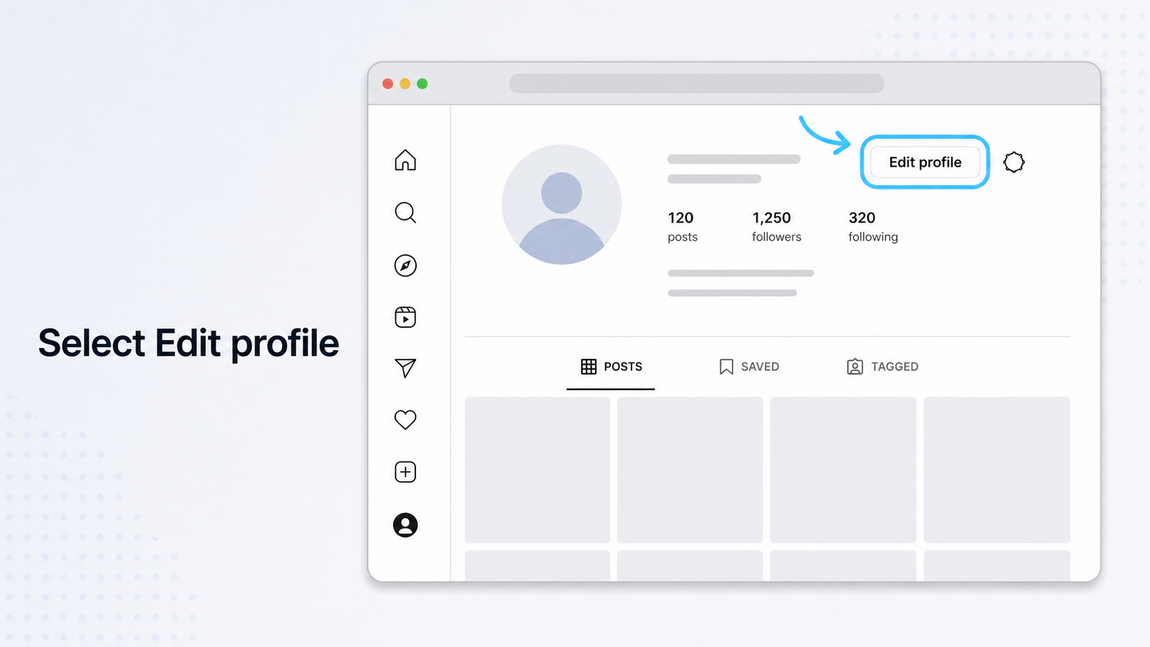
Find Account type and tools.
Click on Switch to professional account, then Next.
Select a category that best represents your business and click Switch to professional account.
Click the Switch to professional account button. Note that, by doing so, your account will automatically be set to public, which means everyone can follow you without approval.
Choose Business as your account type and click Next.
The following steps are optional:
- Enter your contact details and click Next. If you'd prefer not to include contact information, select Don't use my contact info.
- To share logins across Meta platforms, click Log in to Facebook and connect your Instagram Business account to a Facebook Page associated with your business. If you'd prefer not to connect a page, select Skip.
Finish setting up your professional account by following the optional steps provided, or click the X in the top-right corner to return to your profile.
Learn more about how to switch your personal Instagram account into a business account in Instagram's Help Centre.